Moving iOS keyboard away from blocking textfield when typing
- 4 mins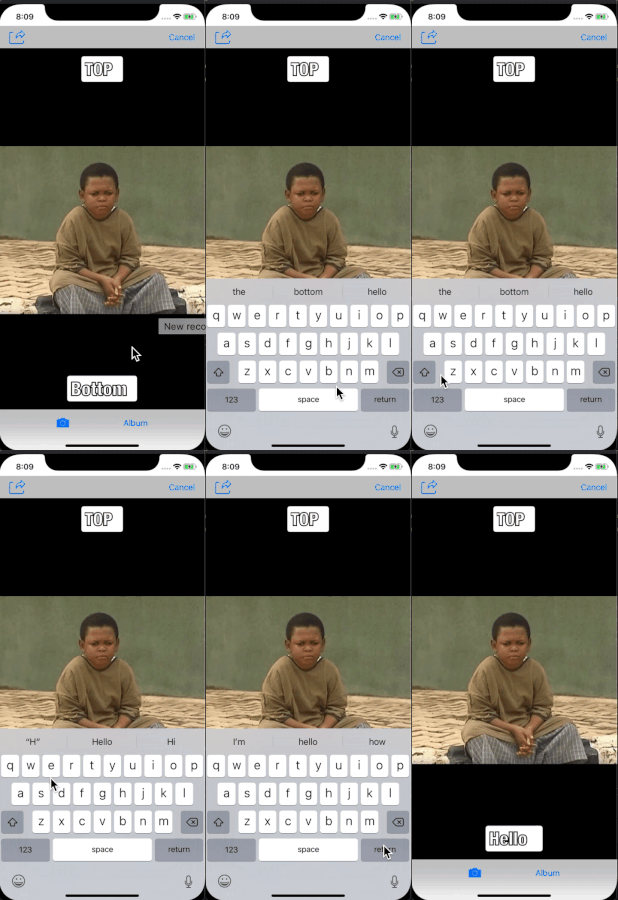
One common problem faced by iOS developers is that of the iOS keyboard getting in the way of textfields positioned at the bottom part of the screen when a user is typing. This usually leaves the user stuck and guessing.
To avoid this, the entire view has to be lifted up like so while the user is typing:
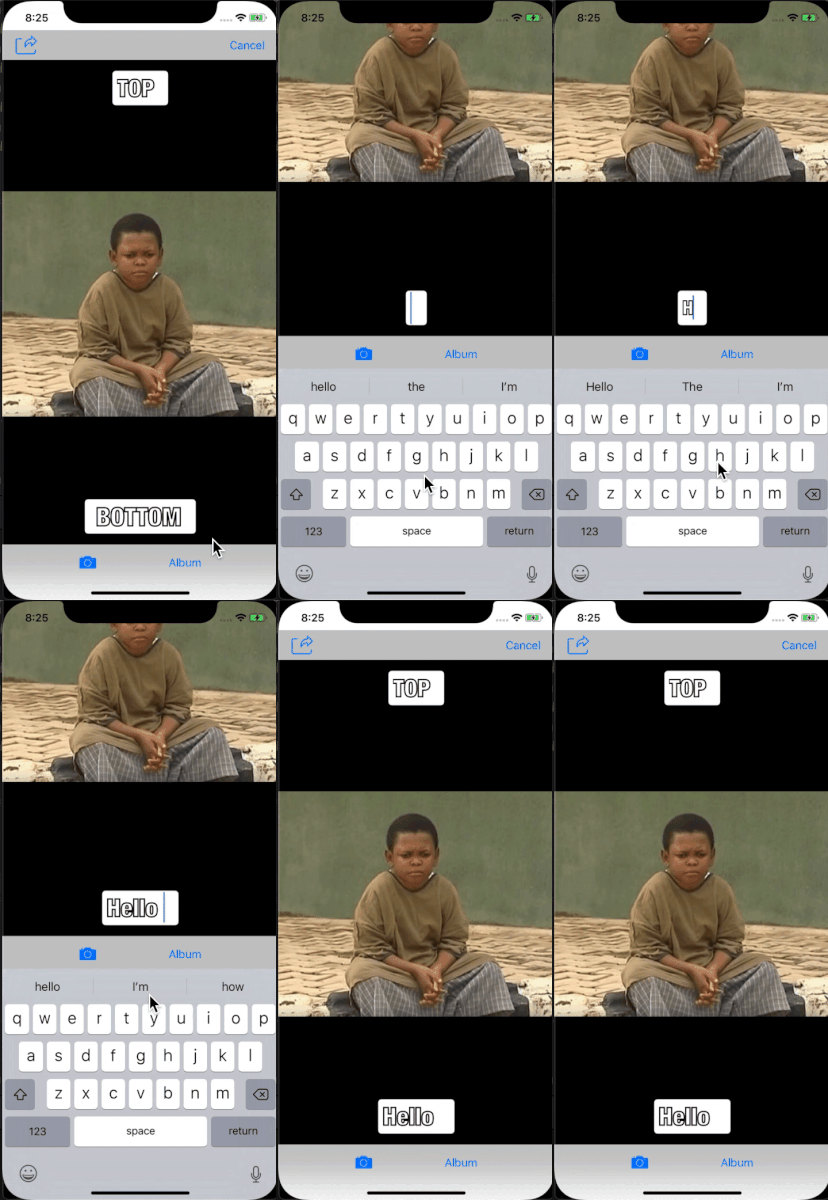
We aim to shift the entire screen view away in proportion to the keyboard height when the keyboard appears and return it back to position when the keyboard disappears.
To acheive this, we need to create some util methods to shift and return the screen when the keyboard appears and disappears keyboardWillShow() and keyboardWillHide() and another to determine the keyboard size getKeyboardHeight().
@objc func keyboardWillShow(_ notification:Notification) {
        view.frame.origin.y = -getKeyboardHeight(notification)
}

@objc func keyboardWillHide(_ notification:Notification) {
        view.frame.origin.y = 0
}
func getKeyboardHeight(_ notification:Notification) -> CGFloat {
        let userInfo = notification.userInfo
        let keyboardSize = userInfo![UIResponder.keyboardFrameEndUserInfoKey] as! NSValue
        return keyboardSize.cgRectValue.height
}
The point where y = 0 is at the top of the screen, to move the view up above the keyboard we subtract the the height of the keyboard using gotten from getKeyboardHeight(). This totally handles the issue.
But how will we know when the keyboard is about to slide up?
Notice that all methods require a Notification object. The Notification struct is a container for information broadcast through a notification center to all registered observers.
NotificationCenter is one of means swift uses to announce information throughout a program across classes. One of the information it can announce is the keyboard appearing or disappearing. There are a lot more information it can announce than just keyboard events.
And just like we would have to tune in to a radio station to listen to what the radio station broadcasts, objects have to subscribe to or observe notifications before it can receive them. So to know when a keyboard appears or disappears, our ViewController must subscribe to be notified when an event is coming up - the event here being the keyboard showing or disappearing.
func subscribeToKeyboardNotifications() {
        NotificationCenter.default.addObserver(self, selector: #selector(keyboardWillShow(_:)), name: UIResponder.keyboardWillShowNotification, object: nil)
        NotificationCenter.default.addObserver(self, selector: #selector(keyboardWillHide(_:)), name: UIResponder.keyboardWillHideNotification, object: nil)
 }
Here:
self refers to the object registering as the observer which is our ViewController in most cases.
#selector(keyboardWillShow(_:)) - specifies the message the receiver sends observer to notify it of the notification posting. The method specified as a selector must have one and only one argument (an instance of Notification).
UIResponder.keyboardWillShowNotification or UIResponder.keyboardWillHideNotification refers to the name of the notification for which to register the observer; that is, only notifications with this name are delivered to the observer.
object - specifies the object whose notifications the observer wants to receive; that is, only notifications sent by this sender are delivered to the observer. If you pass nil, the notification center doesn’t use a notification’s sender to decide whether to deliver it to the observer.
Linking up the ViewController and the NotificationCenter
To link up the ViewController with the NotificationCenter , we call subscribeToKeyboardNotifications() from viewWillAppear()
override func viewWillAppear(_ animated: Bool) {
        super.viewWillAppear(animated)
        subscribeToKeyboardNotifications()
}
Unsubscribing from keyboard events Best practises require we unsubscribe from events when our app is not active or no longer listening to them. To unsubscribe from keyboard events:
func unsubscribeFromKeyboardNotifications() {
        NotificationCenter.default.removeObserver(self, name: UIResponder.keyboardWillShowNotification, object: nil)
        NotificationCenter.default.removeObserver(self, name: UIResponder.keyboardWillHideNotification, object: nil)
}
Finally we call the unsubscribeFromKeyboardNotifications() method from our viewWillDisappear() to disconnect our viewController from communicating with NotificationCenter.
override func viewWillDisappear(_ animated: Bool) {
        super.viewWillDisappear(animated)
        unsubscribeFromKeyboardNotifications()
 }
Glad you stopped by. Getting the keyboard out of the way from now will no longer be an issue. If you have any thoughts or questions please feel free to reach out.